Universal TV Remote for All TV
- 4.4
- Rating
- 10.00M
- Installs
- Free
- Price
 Analysis by App-foxy
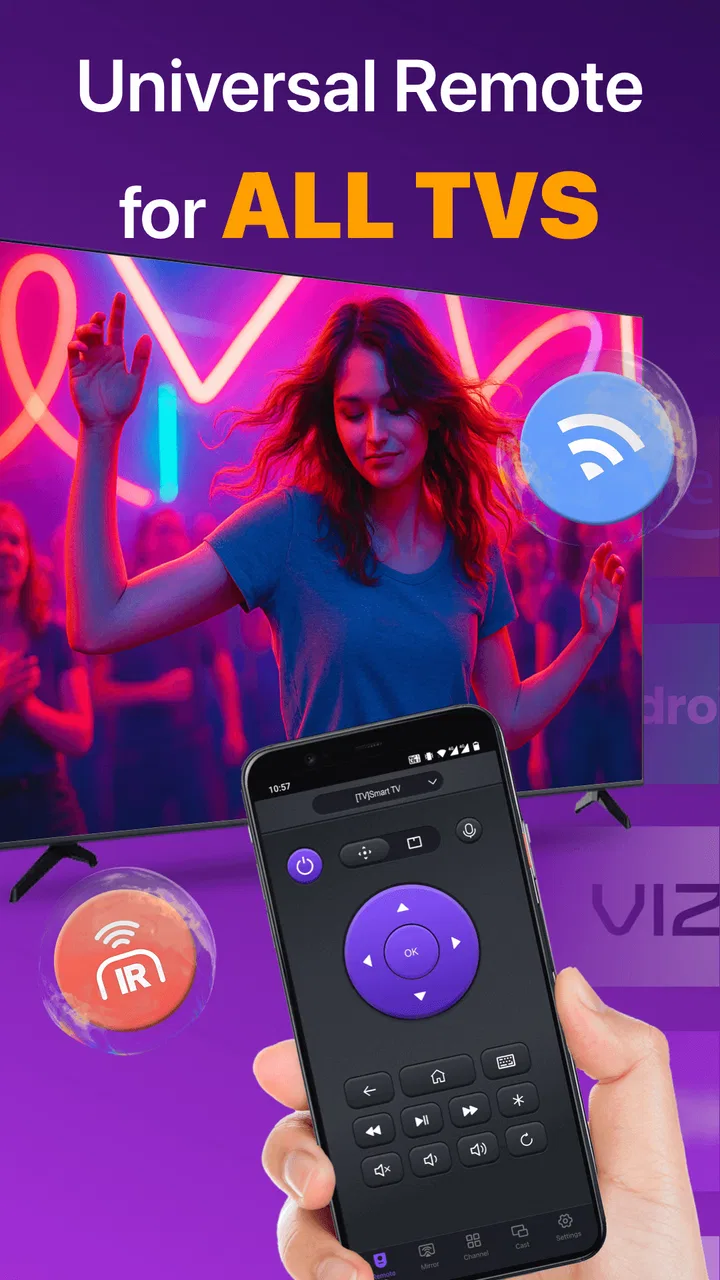
I usually reach for a phone remote when the original has disappeared under a sofa, lost its batteries, or simply stops responding at the worst possible moment. Universal TV Remote for All TV, developed by BoostVision, is built for exactly that kind of situation. It is a free Tools app for controlling televisions, including volume, channels, and other everyday remote functions, and it aims to turn an Android phone into a practical replacement rather than another complicated smart-home project.
After spending time with it, my impression is fairly clear: this is most useful when you want one familiar control point for several televisions or when the physical remote is inconvenient. It is less compelling if your TV already has an excellent official companion app, or if you expect a phone remote to work without checking compatibility and connection requirements. The app has a 4.4 average from around 148 thousand ratings, with more than 10 million installs, so it is clearly not an obscure experiment. Still, popularity does not remove the need to think about permissions, subscriptions, and how much control you want to hand to a utility app.
What it feels like to use as an everyday remote
The basic idea is refreshingly simple. Instead of keeping separate remotes for the television in the living room, bedroom, or guest space, I can use the phone already in my hand. The store summary focuses on smart TV and infrared control, along with volume and channel management. In practical terms, that makes the app relevant in two different situations: a phone communicating with a compatible smart TV over the same local network, or a phone using infrared capability where the device supports it.
You May Also Like

 Blood Strike: 2.5 Anniversary
Blood Strike’s Loadouts Turn Every Drop Into a Tactical Gamble
A close look at Blood Strike’s custom loadouts: how fast access to signature weapons reshapes its battle royale rhythm, rewards preparation, and narrows the gap between fights.

 Pandora - Music & Podcasts
Pandora’s Music Is Easy to Start, but Harder to Recover
Pandora’s strength is its low-effort path from a seed to a station. Its weak spot is how much confidence it asks you to place in connection, setup, and quiet recovery.

 8 Ball Pool
 Is Built on Rivalries, Rematches, and Routine
A close look at the rivalries, rematches, shared routines, and unanswered safety questions that turn a quick pool match into a persistent mobile community.

 Samsung Music
’s Quiet Strength Is Playing What You Already Own
Its reach comes less from spectacle than from dependable access to a personal library. That simplicity is both the app’s strongest retention engine and its ceiling.

 AccuWeather: Weather Radar
AccuWeather Review: A Quick, Clear Forecast for Everyday Decisions
For everyday plans, the best forecast is the one you can understand quickly. AccuWeather makes rain timing, radar, and local conditions easy to act on, with a few trade-offs.

 Hill Climb Racing
Why Hill Climb Racing Still Turns Crashes Into One More Run
A tiny car, a bumpy hill and one more upgrade: Hill Climb Racing keeps resurfacing because its simple chaos makes every near-miss feel personal.
More From Our News Desk



That distinction matters more than it may seem. A smart-TV connection normally depends on the television and phone being prepared to see each other, while infrared control depends on hardware that many modern phones do not include. I would therefore check the connection method before relying on this as my only remote. If your phone lacks infrared, the app cannot magically add that hardware. If you are using a network-connected television, the phone and TV need a sensible setup before the buttons become useful.
The interface is most valuable when it keeps common actions close together. Volume, channel changes, navigation, and power are the controls I use repeatedly, so a virtual layout earns its place when I do not have to hunt through menus. A phone screen also offers a small advantage over a traditional remote: typing, selecting, or managing content can be less awkward than pressing tiny directional buttons many times. The trade-off is that a glass screen has no physical feedback. I cannot operate it by touch alone as confidently as I can with a remote whose buttons I know by position.
A realistic example is a shared living room. Someone has borrowed the physical remote, the television is already on, and I want to lower the volume without searching the whole house. If the TV connection is ready, this app can be quicker than opening a manufacturer account or installing a separate app for every brand. That convenience is its strongest argument. It is not about replacing every specialized TV feature; it is about reducing the number of moments when a missing remote interrupts an ordinary evening.
Where the universal approach helps
Universal control is particularly handy in homes with mixed equipment. A household may have one television from one manufacturer and another from a different brand, while family members use different phones. A single remote app can make the routine controls feel more consistent. I also see value for people who move between rooms often, for visitors who do not know where the physical remotes are kept, and for anyone who prefers not to leave several plastic controllers on a coffee table.
It can also be useful in a temporary setting, such as a rented room or a short stay where the television is unfamiliar. I would not assume that every TV will pair instantly, but having a universal option is more flexible than carrying a brand-specific solution. The app’s Everyone age rating also makes it approachable for a household where several people may need to adjust the volume or switch channels, although ease of use still depends on the particular TV and phone combination.
There is an important practical tip here: set up the app before you urgently need it. Testing the television connection while the original remote is still available gives you a way to approve prompts, select the correct device, and recover if the first attempt does not work. Waiting until the remote has vanished turns a small setup task into a frustrating search for both the remote and the right network settings.
Trust starts with visible choices, not popularity
Because this is a remote-control utility, I pay attention to what the app asks me to do before I start using it regularly. A remote app may need access to the local environment or device-discovery steps to find a compatible television, but I do not treat any permission prompt as something to approve automatically. I read each prompt, consider whether it matches the action I am trying to perform, and decline anything that does not make sense for the setup.
That habit is more useful than assuming that a high install count guarantees a comfortable privacy experience. BoostVision is the named developer, and the app has a substantial public user base, but those facts do not tell me what information I should share in a particular session. I prefer to keep the app focused on remote control, avoid granting unrelated access, and review the phone’s permission settings afterward. If a function works without an optional permission, I leave that permission off.
The same caution applies to account controls. A simple remote should not automatically become a service I manage more deeply than necessary. Before accepting any sign-in request, I would ask whether the feature I want genuinely requires an account and whether I am comfortable creating one for that purpose. If the app presents a choice between continuing with basic controls and enabling an additional service, I choose the narrower path unless the extra function solves a real problem for me.
There is also a financial point that is easy to overlook because the app is free to install. In-app purchases range from $2.99 to $26.99 per item. I would treat that as a reason to inspect the purchase screen carefully, especially if a trial, upgrade, or premium control appears during setup. Free installation is useful for testing compatibility, but it is not the same as every feature being free. I would test the basic remote first and decide whether any paid option is worth it only after confirming that the app works with my television.
Data-sensitive moments during setup and use
The moments that deserve the most attention are not necessarily the moments when I press a channel button. They are the points where the app discovers a TV, asks for access, displays a connection request, or presents an upgrade. Those are the moments when I slow down. I want to know what I am approving, which device I am connecting to, and whether the option in front of me is necessary for the task.
For a shared home network, device discovery can reveal that several televisions or related devices are available. I select only the television I intend to control and avoid connecting to unfamiliar equipment. This is a small but worthwhile habit, particularly in apartment buildings, offices, hotels, or guest networks where the list of visible devices may be less predictable than at home.
I also avoid testing a remote app on a public network unless I understand the environment. A coffee-shop or hotel network is not the same as a private home network, and a connection that works there may expose more devices or behave inconsistently. For a utility whose main job is to control a TV, I prefer a private network and a clearly identified television. If the app cannot establish a reliable connection in that setting, I would rather use the physical remote than keep changing privacy settings just to make a temporary setup work.
Another useful practice is to remove access when I no longer need the app. If I installed it for a one-off problem, such as replacing a lost remote, I can review its permissions afterward and uninstall it if I do not expect to use it again. If I keep it for several TVs, I still revisit the settings occasionally rather than assuming that the original choices remain ideal forever. This is not a criticism unique to this app; it is simply sensible housekeeping for any utility that interacts with devices around the home.
How much control do I really have?
My biggest test for a remote app is whether it lets me make deliberate choices instead of pushing me through a setup I do not understand. Universal TV Remote for All TV is easiest to trust when I can identify the TV, see what connection is being requested, use the basic controls, and leave optional services alone. A clear path back to the phone’s settings is just as important as a large volume button.
I would also keep the physical remote nearby during the first setup. That is not because the app is necessarily unreliable; it is because connection problems can come from the TV, the phone, the network, or missing infrared hardware. Having the original remote lets me confirm that the TV itself is responding and change the relevant input or network setting if needed. Once the phone remote works consistently, I can decide whether it is dependable enough to replace the physical controller in daily use.
There is a subtle trade-off between convenience and control here. A physical remote is usually more private in the narrow sense that it does not require an app, permissions, or a phone connection. It is also faster for blind operation. The phone app wins when I want one device for multiple televisions, a remote that is difficult to misplace, or a more familiar screen-based interface. I would choose based on that actual habit rather than assuming a universal app is automatically better.
Compared with official TV apps and ordinary remotes
The closest alternatives are the remote supplied with the television, the manufacturer’s official mobile app, and other universal remote tools. The supplied remote remains the safest fallback for guaranteed basic operation because it is designed for that TV and does not depend on phone compatibility. Its weakness is obvious: it is easy to lose, and it does not follow me from room to room.
An official TV app may offer deeper integration with one manufacturer’s ecosystem. If I own one brand and want advanced settings, content browsing, or account-linked features, the official option may be the better fit. Universal TV Remote for All TV makes more sense when I care about a common remote experience across different televisions and do not want to maintain several brand-specific apps. The compromise is that universal control may not expose every specialized button or setting found on the original remote.
Other universal remote apps can appear similar, so I would compare them on practical behavior rather than screenshots. Does the app connect to my TV without repeated setup? Are the controls comfortable on my phone? Does it make optional purchases obvious? Can I keep permissions limited? For me, those questions matter more than the promise of having every possible button. A universal remote that handles volume and navigation reliably is more useful than one with a crowded interface I rarely understand.
Who should use it, and who should skip it
I would recommend trying it if you regularly misplace remotes, manage more than one television, or want a quick phone-based backup. It is also worth considering for a household where the remote is frequently left in another room. The free starting point makes compatibility testing relatively straightforward, provided I pay attention to any purchase screen and do not confuse installation with a guarantee that every control will work on every setup.
I would skip it if you need guaranteed operation during a presentation, rely on a phone without infrared for an old non-networked TV, or dislike granting any device-discovery access at all. I would also choose the official remote app when I need features tightly tied to one television brand, and I would stick with the physical remote when tactile buttons and offline dependability matter more than convenience.
The current version is 2.4.6, and the minimum operating system is Android 7.0. That makes the app accessible to many older Android phones, but compatibility is still more than an operating-system question. The television’s connection method, the phone’s hardware, the local network, and the TV’s own settings all influence the result. I would check those four points before deciding that a failed first connection means the app is unsuitable.
My cautious verdict
Universal TV Remote for All TV is a useful tool when its role is kept realistic: it is a convenient phone-based controller, not a guaranteed substitute for every original remote or an automatic gateway to every television feature. I like the universal focus, the straightforward everyday purpose, and the ability to test a free app before committing money. The broad user adoption and 4.4 average suggest that many people find the concept worthwhile, but I still judge it by my own connection and permission experience.
My advice is to install it with a specific TV in mind, test the basic controls while the original remote is available, use the narrowest permissions that support the connection, and examine any in-app purchase before confirming it. If those checks go smoothly, it can be a genuinely handy backup that stays in your pocket. If the setup feels invasive, the TV is not compatible, or you need advanced brand-specific controls, the original or official alternative is the more sensible choice. The best reason to use this app is convenience with boundaries: control the TV you choose, approve only what you understand, and pay only for something you have already proved you need.
FAQs for Universal TV Remote for All TV
01What devices are compatible with Universal TV Remote for All TV?
Universal TV Remote for All TV is compatible with most modern smart TVs from leading brands such as Samsung, LG, Sony, and Panasonic. Additionally, it can work with older models if they support infrared (IR) technology. Ensure your smartphone has an IR blaster or the app supports Wi-Fi connectivity for seamless operation.
02Does Universal TV Remote for All TV require an internet connection to function?
While an internet connection is not mandatory for basic IR remote functions, certain advanced features such as voice control and smart home integration may require Wi-Fi. It is advisable to check if your specific TV model supports these features and if your phone is connected to the same network for optimal performance.
03How easy is it to set up Universal TV Remote for All TV?
Setting up Universal TV Remote for All TV is straightforward. After downloading the app, follow the on-screen instructions to pair it with your TV. Most users find the process user-friendly, with automatic search and pairing options available for quick setup. A detailed guide within the app can assist with any troubleshooting.
04Is Universal TV Remote for All TV free to use, and are there any in-app purchases?
The app is free to download and offers basic remote functionalities without charge. However, there are optional in-app purchases for premium features such as ad-free usage, customizable remote layouts, and advanced control options. These purchases enhance the user experience but are not necessary for fundamental use.
05Can Universal TV Remote for All TV control other devices besides televisions?
Yes, Universal TV Remote for All TV can control various home entertainment devices such as DVD players, sound systems, and set-top boxes, provided they are compatible. The app’s versatility makes it a convenient all-in-one solution for managing multiple electronics in your home with a single device.
Pros
- Easy setup with intuitive interface.
- Compatible with most TV brands.
- No need for multiple remotes.
- Customizable button layout.
- Supports voice commands for control.
Cons
- Limited functionality on older TVs.
- Frequent ads can be intrusive.
- Requires stable internet connection.
- May drain battery quickly.
- Some features require in-app purchases.

Universal TV Remote for All TV
Gallery